Diwa OK Games App Download for Easy Mobile Gaming
Looking for a convenient way to enjoy mobile games without confusing steps? Diwa OK Games App Download helps you focus on finding the right access method, understanding available features, and preparing your device before getting started.
You deserve a smooth experience without misleading promises or unnecessary installation problems. Before proceeding, check the official source, confirm compatibility, and understand the account requirements to make an informed decision.

Review desk · Diwa OK
Last updated 22 October 2026
Why Choose a Convenient Mobile Gaming Experience?
Your free time should feel enjoyable, not complicated by confusing menus or unclear instructions. A well-organized gaming experience can make it easier to find activities while helping you manage your time and personal preferences.
Before choosing any application, consider what matters most to you. Check its supported features, accessibility, security practices, and operating requirements rather than relying entirely on promotional claims or attractive screenshots.
Easy Navigation and Accessible Controls
You shouldn't have to search endlessly for basic settings or important features. Clear menus, readable labels, and familiar controls can make mobile interactions more comfortable, especially on smaller screens.
Entertainment That Fits Your Routine
Some days offer only a few spare minutes, while others allow longer breaks. Choose activities that suit your schedule, set reasonable limits, and keep entertainment balanced with your responsibilities and personal commitments.
Mobile Compatibility and Performance
Your phone's specifications can affect how smoothly an application operates. Check the minimum operating system requirements, available storage, and supported devices before installing anything, especially if your phone runs an older software version.
Account Features and Convenient Access
Account features can influence how easily you manage your preferences and recover access. Check the available login methods, registration requirements, privacy controls, and recovery procedures before submitting any personal information.
Clear Information Before Installation
A trustworthy installation process should explain where the application comes from and what it requires. Verify the developer, read the available terms, and avoid unfamiliar download pages that make unrealistic claims about rewards.
How to Prepare Before Downloading the App
A little preparation can prevent unnecessary frustration later. Check your phone's compatibility, confirm the application's source, and review its permissions before starting installation, especially when a website offers files outside official stores.
When considering the Diwa OK Games App Download, verify that the application is genuinely from the intended provider. Availability, features, and installation requirements may vary, so rely on current official information rather than assumptions.
Check Your Phone's Operating System
Start by checking your device's software version in its settings. Compare it with the application's published requirements and install legitimate system updates as needed to improve compatibility and address known security vulnerabilities.
Confirm Available Storage Space
Insufficient storage can interrupt installations or affect application performance. Check your remaining storage space before downloading files, and remove unnecessary content carefully rather than installing unfamiliar cleaning tools with excessive access permissions.
Check Your Internet Connection
A stable internet connection can make downloads and updates less frustrating. Use a trusted network, avoid interrupting the installation, and verify your connection before repeating failed attempts that might create unnecessary duplicate files.
Verify the Application Developer
Look for the developer's name, official website, and consistent application details. Compare these details with verified provider information, particularly when several websites advertise similarly named applications or use nearly identical branding.
Review Installation Requirements
Read the published installation instructions before making changes to your phone. Avoid instructions that ask you to turn off important security protections, install unrelated software, or grant permissions unrelated to the application's stated purpose.
Diwa OK Games App Download and Installation Steps
Getting an application onto your phone should involve clear, understandable steps. Begin with a verified source, check the file details, and follow the provider's legitimate instructions without rushing through important security warnings.
The correct installation process depends on the available application and your device. Diwa OK Games App Download should proceed only after you've confirmed the source, compatibility, and legitimacy of the software being offered.
Find the Official Download Source
Start by checking the provider's verified website or, if available, the authorized application store. Confirm the domain carefully, and avoid links from unsolicited messages, suspicious advertisements, or websites that hide their ownership.
Check the App Listing or File
Review the application name, developer details, version information, and requested permissions. If these details conflict with verified information, stop before installing and contact the provider through an independently verified support channel.
Follow the Supported Installation Process
Use the installation instructions supplied through a legitimate source. Read any security warnings carefully, and never bypass your device's protections merely because an unfamiliar website claims installation will otherwise fail.
Open the App and Review Its Settings
Once installation finishes, inspect the available settings before entering personal details. Check privacy options, notification preferences, and account controls, then decide which features you actually need for your intended use.
Keep the Application Updated
Updates may provide compatibility improvements, feature changes, and important security fixes. Use the official update channel whenever possible, and avoid replacement files from unknown sources that promise special features or unrestricted access.
Android Compatibility and APK Safety Essentials
Android applications may be distributed through authorized stores or, in some cases, APK installation files. Each method requires careful verification, especially when the application is unavailable through a familiar store listing.
Before choosing the Diwa OK Games app for Android, confirm whether a legitimate Android version exists. Never assume that a third-party APK is authentic simply because its filename or icon resembles the expected application.
Understand What an APK File Is
An APK is an Android application package used to install compatible software. Its file format does not establish whether an application is legitimate, safe, supported, or connected to the provider you intended.
Check the Source Before Opening Files
Download installation files only from sources you can verify independently. Avoid shortened links and unknown file-hosting pages, and delete suspicious downloads rather than attempting to bypass warnings from your device's security systems.
Review Permissions Before Granting Access
Permissions should match the application's actual functions. Be cautious when a gaming application requests access to messages, contacts, accessibility controls, or sensitive files without a clear and legitimate explanation.
Avoid Modified or Unofficial Versions
Modified applications can contain harmful code, steal account information, or behave unpredictably. Avoid versions advertising guaranteed winnings, unlimited rewards, or special access that the official provider has not independently confirmed.
Protect Your Device After Installation
Keep device security enabled and install updates through verified channels. If the application behaves suspiciously, stop using it, review its permissions, remove it when appropriate, and change exposed account credentials through legitimate services.
Registration and Login: What You Should Know
Creating an account should never require guessing what information to provide. Check the registration requirements, verify the provider, and understand how your details will be used before completing any form.
Available account features depend on the actual service. Before using the Diwa OK Games App, download and verify the supported login methods, and avoid anyone who promises account activation in exchange for passwords or verification codes.
Check Whether Registration Is Required
Some applications allow limited access without registration, while others require an account. Check the provider's official instructions and avoid supplying personal details until you've confirmed the service's legitimacy and privacy practices.
Use Accurate Information Where Required
If registration is necessary, provide the requested information for legitimate purposes. Do not submit unnecessary personal details, and check whether the service has age, identity, or regional eligibility requirements.
Create a Strong Password
Choose a unique password that you don't use for email, banking, or other accounts. Where supported, enable additional authentication and keep recovery details secure to reduce the risk of unauthorized access.
Protect Verification Codes
One-time codes are intended to help verify access or identity. Never share them with strangers, unofficial agents, or people who contact you unexpectedly, even if they claim to represent the application's support team.
Recover Access Through Official Channels
If you forget your password, use the provider's verified recovery process. Avoid third-party recovery services requesting advance payments, remote access to your phone, or confidential credentials to restore your account.
Features to Evaluate Before Choosing the App
An attractive interface is only one part of a useful mobile experience. You should also consider the available activities, technical performance, privacy practices, support arrangements, and clarity of the provider's published information.
The exact features of the Diwa OK Games App Download should be confirmed through reliable official sources. Evaluate the available options individually rather than assuming every advertised function exists or works the same way across devices.

Game Categories and Available Activities
Check which games or entertainment activities the verified application actually provides. Consider your interests, review any applicable restrictions, and avoid making decisions based on promotional images that might not represent current availability.
User Interface and Navigation
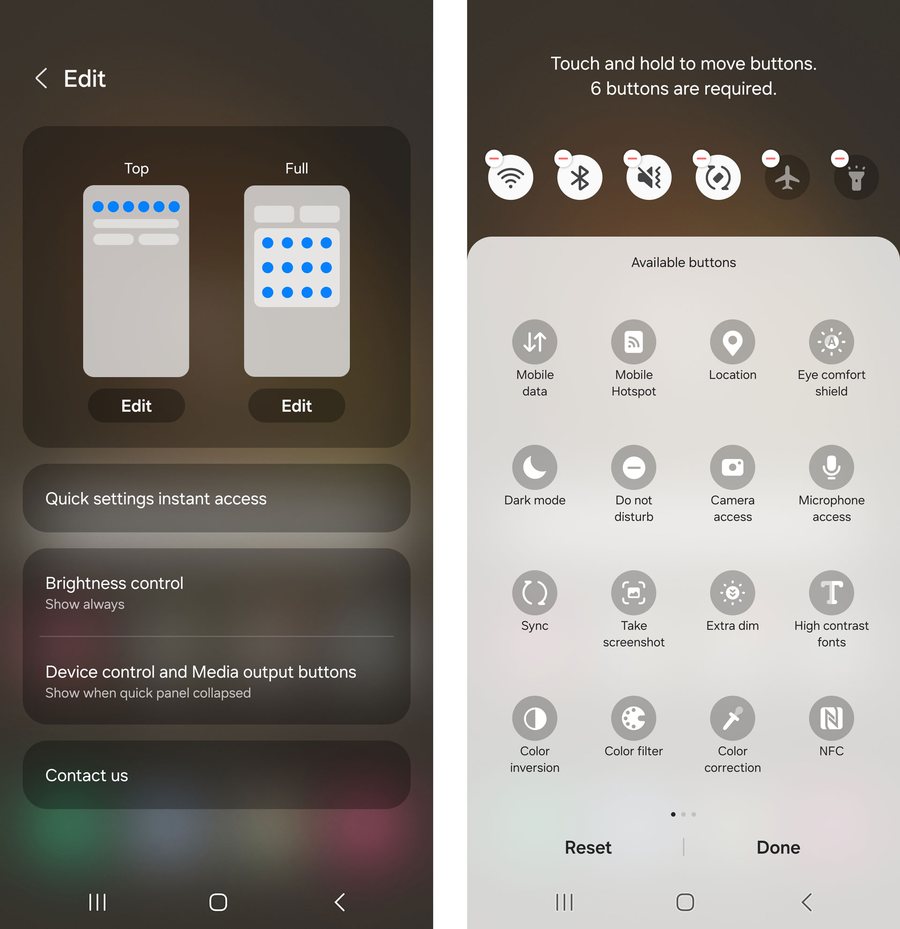
A clear interface makes it easier to locate settings and understand available controls. Check whether labels are readable, menus are logically arranged, and essential privacy or account options remain accessible on your device.

Performance and Loading Times
Application performance can depend on your phone, network, software version, and service availability. Test basic functions carefully, and investigate recurring problems through legitimate support instead of downloading unofficial performance modifications.
Updates and Compatibility
Regular maintenance can help an application remain compatible with supported devices. Check the version information and update announcements, and verify whether your operating system still meets the provider's published requirements.

Customer Support and Help Options
Reliable support should explain how to report problems and protect your account. Check the official contact methods, complaint procedures, and available support hours before relying on the application for ongoing use.
Privacy and Security Measures You Should Follow
Your personal information deserves protection whenever you use an online service. Understanding permissions, securing credentials, and reviewing privacy policies can help you identify unnecessary requests before they pose avoidable risks.
When accessing Diwa OK Games App Download, don't confuse an attractive design with proof of safety. Verify the provider's identity, review its data practices, and stop whenever an unexplained request makes you uncomfortable.
Read the Privacy Policy Carefully
A privacy policy should explain what information is collected and how it is handled. Review the stated purposes, retention practices, and sharing arrangements before deciding whether you trust the service with your personal details.
Limit Unnecessary Permissions
Grant only permissions that are necessary for legitimate features you intend to use. Revisit your phone's permission settings periodically, and revoke access that no longer appears necessary or cannot be reasonably explained.
Secure Your Email and Phone Number
Email and phone numbers can be used for account recovery and verification. Protect the accounts connected to your gaming activity, and avoid posting contact details or verification screenshots in public forums.
Recognize Phishing Attempts
Fraudulent messages may imitate official branding to obtain passwords or payment information. Check the sender and website address carefully, and access your account through a verified route rather than unexpected links.
Respond Quickly to Security Concerns
If you suspect unauthorized access, secure your account through legitimate recovery tools. Change affected passwords, review available activity records, and contact your payment provider if you notice unfamiliar financial transactions.
Troubleshooting Common Download and Login Problems
Technical issues can happen even when you've followed the correct process. Identifying the specific problem helps you choose a sensible solution without repeatedly downloading files or exposing your account to unfamiliar recovery services.
If Diwa OK Games App Download doesn't work as expected, check the device requirements and official service announcements first. Avoid unofficial fixes that require disabling protections or sharing confidential information with strangers.
Download Stops Before Completion
Check your connection, available storage, and the source's availability. Retry only after confirming these basics, and remove incomplete files when appropriate, rather than opening files that failed to download correctly.
Installation Fails on Android
Check the operating system requirements and available storage before attempting another installation. If your device displays a security warning, investigate the source instead of disabling protections to force an unknown application to install.
Application Crashes After Opening
Restart your phone and check for legitimate application or system updates. If crashes continue, consult official troubleshooting instructions and avoid downloading modified versions that claim to eliminate every performance problem.
Login Keeps Failing
Check for typing errors, connection problems, or required verification steps. If you still cannot access your account, use the official recovery process and avoid sharing passwords or verification codes with people offering assistance.
Features Do Not Appear
Some features may depend on application versions, eligibility, location, or service availability. Review official announcements and applicable terms, and contact verified support if a promised feature remains unavailable without a clear explanation.
Responsible Gaming and Financial Awareness
Entertainment should fit your life rather than control your decisions. Set personal limits and avoid activities that interfere with your finances, relationships, responsibilities, or emotional well-being.
If the application offers paid activities, deposits, withdrawals, or rewards, read all applicable terms and conditions first. Never treat gaming as guaranteed income, and don't risk essential money chasing a possible outcome.
Set Limits Before Starting
Decide how much comfortably you can spend before opening a game. Set reminders when helpful, take breaks regularly, and stop when entertainment begins affecting sleep, concentration, or important commitments.
Understand Fees and Payment Conditions
Review any applicable charges, transaction requirements, and withdrawal rules before making any purchases. Verify the provider's identity and payment procedures, and never transfer funds to unknown individuals who promise guaranteed access or special rewards.
Be Careful With Promotional Offers
Bonuses and rewards may have eligibility conditions, deadlines, and restrictions. Read the complete terms, and reject offers that require unexplained payments or promise guaranteed financial returns without verifiable supporting information.
Never Chase Financial Losses
Trying to recover losses can create additional financial pressure. Stop when spending exceeds your personal limit, avoid borrowing for gaming, and seek support if controlling your participation becomes difficult.
Keep Entertainment in Perspective
Games should remain an optional recreational activity rather than a financial plan. Make time for rest, work, studies, and relationships, and step away whenever an activity no longer feels comfortable or manageable.
Frequently Asked Questions
What Is Diwa OK Games App Download?
The phrase refers to downloading an application associated with the name Diwa OK Games. Its exact provider, legitimacy, availability, and features should be verified through reliable official information before installation.
Is the App Available for Android?
Availability depends on whether the provider offers a legitimate Android application. Check its verified website or authorized store listing for current compatibility details, and avoid unofficial APK files from unknown sources.
Can I Install It on an iPhone?
iPhone compatibility depends on the provider's supported distribution methods. Check verified information for an official iOS application or supported browser access, and avoid unfamiliar configuration profiles or installation instructions.
Is Downloading an APK Always Safe?
No, an APK's file format does not guarantee safety. Verify the source and developer, review permissions, keep device protections enabled, and avoid modified files that promise unsupported features or guaranteed rewards.
Do I Need to Register Before Playing?
Registration requirements depend on the application's actual features and policies. Check the official terms to understand whether an account is necessary, and submit personal information only through a verified process.
What Should I Do If the App Is Unavailable?
Check the official service announcements and device compatibility requirements first. Avoid mirror websites or unofficial replacement files, and wait for verified availability information if the provider has temporarily suspended access.
How Can I Identify a Fake Download Website?
Check the domain, developer details, contact information, and consistency with verified provider announcements. Be suspicious of urgent payment demands, unrealistic reward claims, and websites requesting unnecessary permissions or confidential credentials.
Are Rewards or Winnings Guaranteed?
You should never assume that rewards or winnings are guaranteed. Read the actual conditions, understand any financial risks, and avoid claims promising certain returns or effortless earnings from gaming activities.
Get Started With Better Information and Safer Choices
Ready to make a more informed decision about mobile gaming? Check the provider's identity, verify device compatibility, and read the relevant terms before installing anything or creating an account.
Diwa OK Games App Download should be approached with attention to security, privacy, and realistic expectations. Choose verified access methods, protect your information, and proceed only when the available details meet your needs.
Verify the Source Before You Download
Take a moment to confirm that the application comes from a legitimate provider. Review the developer details, permissions, and current requirements, and stop if the download source cannot be independently verified.
Protect Your Device and Account
Keep your operating system updated and your security protections enabled. Use unique passwords, protect verification codes, and avoid giving strangers access to your phone or confidential account information.
Enjoy Entertainment on Your Own Terms
Choose activities that fit your interests, schedule, and personal boundaries. Set reasonable limits, avoid financial pressure, and remember that responsible entertainment should support your free time rather than interfere with everyday life.